What Happens When Someone Taps an NFC Business Card?
Quick Answer
When someone taps an NFC business card with their smartphone, the card instantly transmits a digital link, usually to the cardholder’s professional profile or contact page. The recipient sees this information pop up on their device, with options to save, connect, or even exchange their own details back. No app is required, making the process fast, familiar, and frictionless.
Key Takeaways
- A tap instantly opens a digital profile on the recipient’s phone, no app needed.
- Recipients can view, save, or exchange contact details, making networking seamless and trackable.
- NFC cards reduce reliance on paper, are easy to update, and support team-wide rollouts.
- Contact exchanges can be integrated into your CRM for streamlined follow-up, if supported.
- Modern platforms address common concerns around usability, branding, and privacy.
What Actually Happens When You Tap an NFC Business Card?
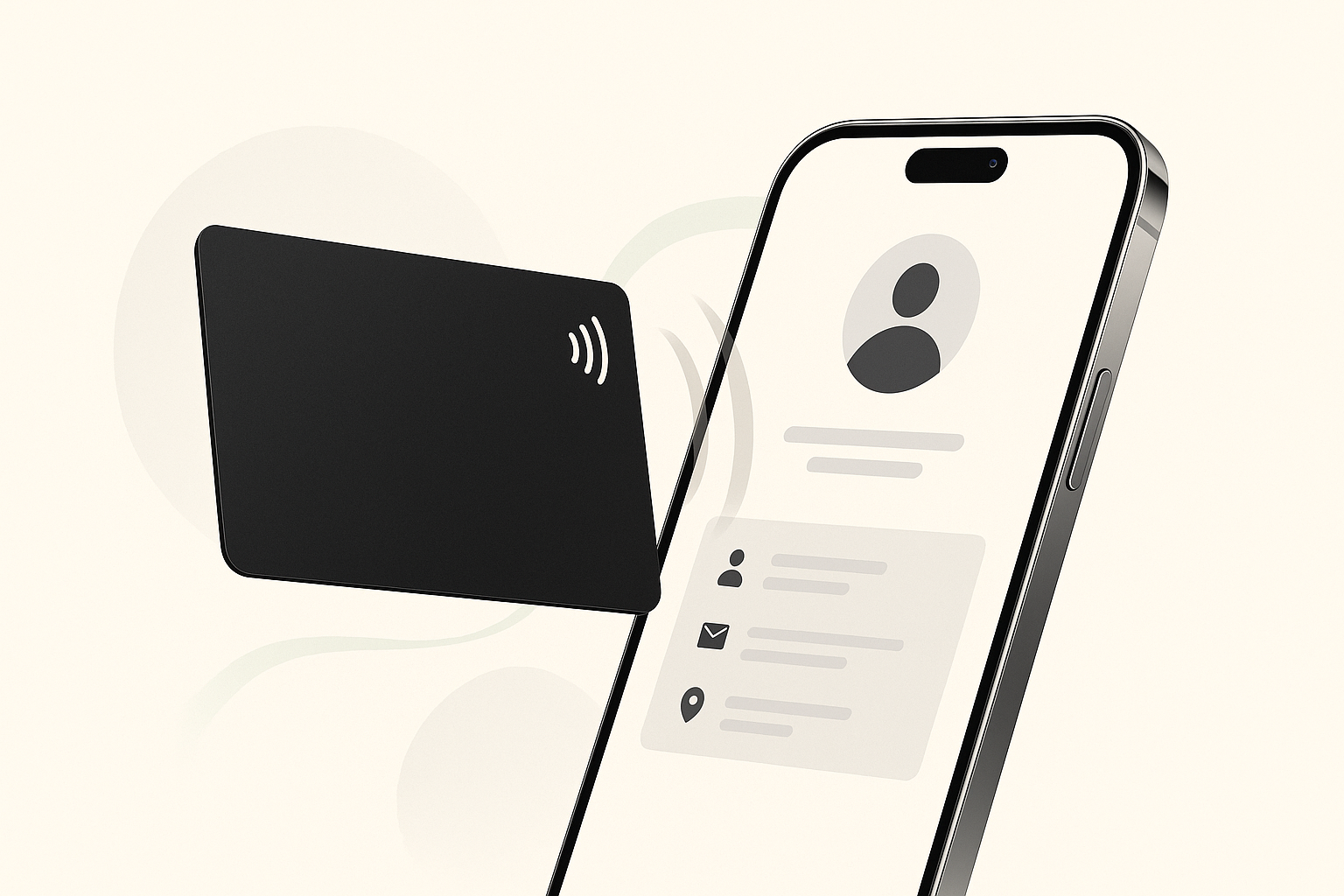
When a recipient taps your NFC business card with their smartphone, they’re instantly directed to your digital business card or professional profile. This typically includes your name, company, role, contact methods, social links, and more. The recipient can save your details with a tap, and, if your platform supports it, send their own information back to you for easy follow-up.
This process is especially valuable for operations managers, digital marketers, IT coordinators, and anyone responsible for networking, sales, or team branding. Interest in NFC business cards is rising: the market is projected to grow from USD 31.38 million in 2026 to USD 90.01 million by 2035.
How NFC Business Cards Change Networking
Before NFC Business Cards
- Paper cards are exchanged at events or meetings.
- Recipients often misplace cards or forget to follow up.
- Contact details must be manually entered into address books or CRMs.
- Updating information requires printing new cards.
- No way to track if your card was used or acted on.
After NFC Business Cards
- You hand over your NFC card or tap it on a recipient’s phone.
- The recipient sees your digital profile instantly, no app or typing required.
- They can save your details to their phone with one tap.
- If enabled, they can submit their own contact info directly back to you via a simple web form.
- Your system can log this new connection and, with supported integrations, add it to your CRM.
- You can update your digital card anytime, no reprinting.
- Analytics show you when and where your card is used, helping measure networking ROI.
Example: Team Rollout at an Event
Imagine a sales team at a trade show:
- Each member has a branded NFC card linked to their unique profile.
- As they network, they tap their cards on attendees’ phones.
- Attendees can save the rep’s details and, if interested, share their own info back.
- After the event, the team lead can see which contacts were made and which leads are ready for follow-up, all without manual data entry.
Speed matters: 57% of companies take a week to respond to inquiries, so instant contact capture can make a real difference.
Step-by-Step: What Happens After the Tap?
- Cardholder presents their NFC business card.
- Recipient taps the card on their smartphone (most modern phones are NFC-enabled).
- The phone reads the NFC chip, which contains a secure link (usually a URL).
- A notification pops up, prompting the recipient to open the link.
- The link opens in the phone’s browser, displaying the cardholder’s digital business card or profile.
- The recipient can choose the next action that makes sense.
- View and save contact details directly to their address book.
- Click links to connect on LinkedIn or other social platforms.
- If enabled, fill out a simple form to send their own contact info back.
- If the cardholder’s platform supports CRM integration, the new contact is automatically logged for future follow-up.
- The cardholder can access analytics to see how often their card is tapped and by whom, if contact exchange is completed.
No special app is needed for the recipient. The process is as familiar as tapping to pay or scanning a QR code, but even faster and more personal.
Benefits, Tradeoffs, and Common Questions
Key Benefits
- Instant, error-free sharing: No more typos or lost cards.
- Always up-to-date: Change your details anytime, no reprinting.
- Eco-friendly: One reusable card can replace repeated paper card reprints.
- Trackable: See when and how your card is used.
- Supports team rollouts: Issue, update, and manage digital business cards for teams from a central dashboard.
- Enables two-way contact exchange: Capture leads on the spot, not just give info away.
Common Objections (and Answers)
Will people actually use or scan it? Most modern smartphones support NFC, and the tap-to-open experience is intuitive, no app or tech skills required. It feels as natural as tapping to pay at checkout.
Is this easier than a normal business card? Yes. Recipients don’t need to type, scan, or keep track of paper. Saving details is one tap, and exchanging info is even easier than swapping paper cards.
Can it support a team or brand rollout? Leading platforms allow you to manage cards, update details, and view analytics across your entire team. Branding is consistent, and new hires get set up in minutes.
What about privacy or unwanted follow-up? Recipients choose whether to share their details back. Platforms can require permission-based exchanges and comply with privacy best practices. For more, see NFC Business Card Security: Protecting Your Digital Identity.
What if the recipient’s phone doesn’t support NFC? Most platforms print a QR code on the card as a backup, ensuring universal compatibility.
What to Look for in an NFC Business Card Solution
Not all digital or NFC business card platforms are created equal. Consider these factors:
- Ease of sharing: Is the tap experience truly instant? Is a backup QR code included?
- No-app workflow: Can recipients access your details without installing anything?
- Two-way contact exchange: Can recipients easily send their info back to you? Is it permission-based? Tapt’s Help Center explains how to edit and enable the two-way contact exchange form.
- CRM integration: Can new contacts flow directly into your CRM or address book? Tapt supports workflows like Zapier integrations for passing new contact details into other tools, and conversion rates can drop sharply when follow-up is delayed by just five minutes.
- Analytics: Does the platform provide usage stats and lead tracking?
- Team controls: Can you manage, update, and brand cards at scale?
- Security and privacy: Are exchanges permission-based? Is data handled securely?
- Update process: Can you update contact info without replacing cards?
- Cost and scalability: Does the pricing fit your team size and usage?
For a deeper look at what makes a provider stand out, see Top Features of the Best Digital Business Card Providers.
Where Tapt Fits
Tapt offers a modern, NFC-enabled business card solution designed for small-to-medium businesses and teams. Its features are built around practical workflows: sharing a profile, collecting contact details, managing teams, and supporting follow-up. With Tapt:
- You issue branded NFC cards to your staff, each linked to a customizable digital profile.
- Recipients tap the card and instantly access your details, no app needed.
- Two-way contact exchange is built-in, allowing leads to share their info back with your team.
- Integrations with supported CRMs streamline follow-up and reduce manual data entry.
- Centralized management means you can update, reassign, or deactivate cards as roles change.
- Analytics help you track engagement and measure networking ROI.
- Privacy and permission controls ensure recipients only share info when they choose.
Tapt’s platform is designed to make NFC business cards practical, scalable, and easy to manage, without requiring technical expertise.
Conclusion
NFC business cards transform networking from a manual, paper-based process into a seamless digital experience. A single tap shares your professional identity, enables instant follow-up, and supports scalable team rollouts, all while eliminating the headaches of lost cards and manual data entry.
If you’re evaluating digital business card options, focus on ease of use, two-way contact exchange, CRM integration, and team management features. For SMBs ready to modernize their networking, solutions like Tapt make the transition easy and effective.